How to Deploy an AI Shopping Assistant on Your Ecommerce Site in 5 Days
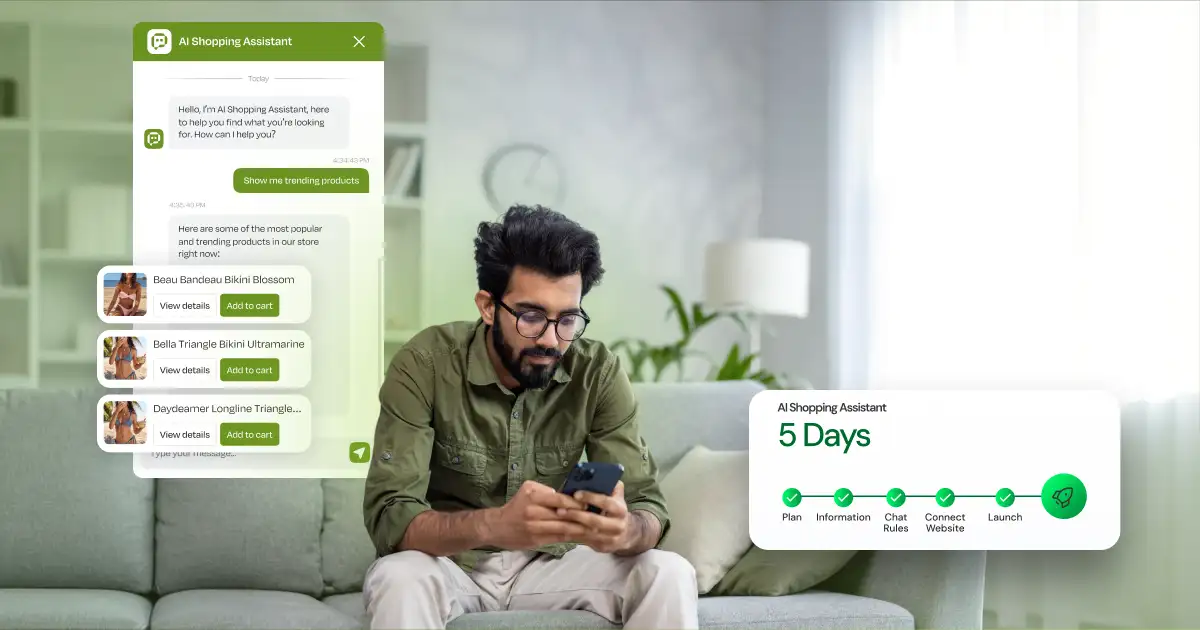
An AI shopping assistant can help customers find, compare, and choose products through natural conversations rather than relying on specific keywords or filters. The good news is that you can integrate an AI shopping assistant into your ecommerce platform in as little as five days. This process involves defining the assistant’s role, preparing product data, structuring shopping conversations, connecting it to your storefront, and testing real-world shopping scenarios.
In this blog, we’ll walk you through a practical five-day deployment plan to help you launch an AI shopping assistant, improve product discovery, and create a smoother shopping experience for your customers.
What is an AI Shopping Assistant?
An AI shopping assistant is an artificial intelligence (AI) tool that chats with shoppers, asks clarifying questions, compares options and recommends products from your catalogue. A consumer can specify their requirements without providing any specific keywords or filters.
I want a waterproof backpack under £100 for weekend hikes.
An AI shopping assistant for ecommerce can also search your catalogue, ask follow-up questions and explain why each product suits the shopper.
Your 5-Day AI Shopping Assistant Deployment Plan
You don’t need a large budget or a six-month project to get started. If you’re weighing up costs, our guide on how much an AI chatbot for ecommerce costs breaks down what to expect. Here’s a day-by-day plan to take you from idea to a working assistant in your store in under a week.
Day 1: Define the Assistant’s Role
Start by choosing the one shopping problem your assistant will solve. For example, an electronics store might want it to answer:
Which laptop under £1,500 can I get for video editing?
A skincare store might want it to answer:
I want a fragrance-free moisturiser for dry skin. What should I use?
Also define what it must not do: invent product specs, offer discounts that don’t exist, recommend products you don’t stock, or say an item is in stock when it isn’t.
Day 2: Prepare Your Product and Store Data
Your assistant is only as accurate as your product data.
In order to create an AI assistant for your ecommerce website you will need to have accurate information about your products on your website.
Some key things to include:
1. Product Information: Have a database that includes all your products and what information they may include:
- What is the product
- Category the product belongs to
- How much it costs
- Description of the product
- Features
- Sizes, Colours, and Material
- Link to product (URL)
- Is the product available
2. What do your customers need to know about the product:
- If you’re selling furniture then you would want to include size, what it's made of, what room it could go in and if it needs to be assembled.
- If you’re selling electronics then storage capacity, CPU, screen size and compatible with what and if it comes with a warranty.
3. Helpful information that can be found on your website:
- How long shipping takes
- What is your return policy
- FAQs
- Size chart
- Warranties
- Compare products
4. Protecting your customers’ PII: Make sure to implement privacy controls to keep your customers’ information private. Only allow certain users to view this information.
As you can see there are many things to include on your ecommerce website. By having all of this information your AI assistant will be able to help customers find what they need and answer their questions.
Day 3: Set Conversation Rules
Set rules so the assistant asks clarifying questions, explains its recommendations and never guesses.
- Help Customers with Questions: Help customers with any questions they may have. Give them recommendations as well.
- Ask Questions: You can also ask questions to your customers.
- Know what the Customer is Looking For: If someone is asking for a coffee machine. Ask them if they want espresso, coffee or a coffee pod machine.
- Recommend Products: You should recommend products that fit what they are looking for and what budget they may have. Example if someone was looking for an espresso machine under £500 you would recommend machines that fall under that price.
- Do not make up answers: If you cannot find the proper answer let the customer know.
Day 4: Connect the Assistant to Your Store
After you have your information and dialogue set up you can integrate the assistant into your store front. This can be done by adding a store front widget, script or using API integration with your store and products. Your assistant will need to be able to use some of these functions.
- Product Search: Search your store for products that meet your customers’ needs.
- Product Data: Allow the assistant to tell the customer about the product they may want. Product specs, description price etc and link.
- Stock: Determine if a product or variant is in stock.
- Add to Cart: Help customers add their selected products to the shopping basket.
You don't have to integrate with any of your CRM, ERP, customer service, loyalty or marketing platforms right away. Simply start with what you need and build on to your customers as they begin using your system.
Day 5: Test, Launch and Monitor
When you feel your AI shopping assistant is good enough to go live with your ecommerce store you should test it like a customer.
You want to make sure it's working properly and able to give helpful responses.
- Ask a specific question. You could ask something like "Find me some black running shoes under £120" and see if it can provide you with options that are within your price range.
- Ask a general question. Something vague like "I need a pair of shoes for my holiday." You want to see if your assistant asks you questions and gives you products they think you may want.
- Ask it to compare products. You could ask something like "How are these different from each other?" You want to make sure it can pull up product features and describe them to you.
- Ask for a product that isn't there. This will allow you to see what response your assistant gives the customer.
- Give it conflicting criteria. See if your assistant can let the customer know why they may not be able to find what they are looking for.
- Ask a question with misspelled words. To see if your assistant can pick up on the error.
- Ask it something it doesn't know the answer to. Make sure it can let the customer know that it doesn't know.
- Make sure your products have all their info filled out. If not what will your assistant say?
Final Testing Checklist:
- Recommends real products from the catalogue.
- Provides accurate product information.
- Follows the customer's budget.
- Shares correct product links.
- Handles missing information honestly without guessing.
Ready to Launch Your AI Shopping Assistant?
Our team at Ecommerce Excellence can get you an AI shopping assistant in 5 days! We can help you organise your product information and get your AI shopping assistant live on your store.
Book a 5-Day AI Shopping Assistant Pilot and see how it improves your customers' shopping experience before making a bigger commitment!
What Should You Measure After Launch?
Once you have deployed your AI shopping assistant you want to monitor these things:
- How many customers are speaking to your assistant.
- How many customers click on a product link from your assistant.
- What questions is your assistant unable to answer.
- How many customers add items to their cart from your assistant.
- How many customers buy something.
- Conversations that need human intervention.
Make sure you’re measuring more than just sales. Your customer may just be using your assistant to look at different products. Make sure to go through conversations to see if your assistant is missing any information about your products.
Can You Really Launch an AI Shopping Assistant in 5 Days?
Yes, if the first release has a narrow scope. Five days gets a working version live, not a full ecommerce automation project.
Advanced capabilities can be added later:
- Personalisation
- Ordering
- Loyalty data
- Merchandising rules
- Multilingual support
- Checkout automation
Start Small and Build on Real Conversations
An AI shopping assistant is most useful where shoppers struggle to find or choose a product. Begin with a small shopping challenge, validate the catalogue information, test actual questions from customers, and enhance the shopping assistant based on questions. At Ecommerce Excellence, we create Artificial Intelligence (AI) solutions on top of the current ecommerce system, the ecommerce journey, and the business processes. The first use case can be extended to other use cases such as personalisation, merchandising, support, conversational commerce, etc.